01
Who is in it.
Full names, left to right, and how each person is related to you. “Uncle Ray, Mum’s older brother” will mean far more in fifty years than “Ray”.
Ancestorii albums let your family group the photos and videos from one chapter of life, then give each picture a name, a date (even a loose one like “Summer 1994”), a written story and recorded voice notes. Albums are unlimited on every plan, and everyone you invite to your private family space can add to them.
A grid of pictures keeps the faces but not the reasons. Years later nobody can say who is standing next to Grandad, or why that beach mattered. An album on Ancestorii keeps the answers beside each photo, in your family’s own words and voices.
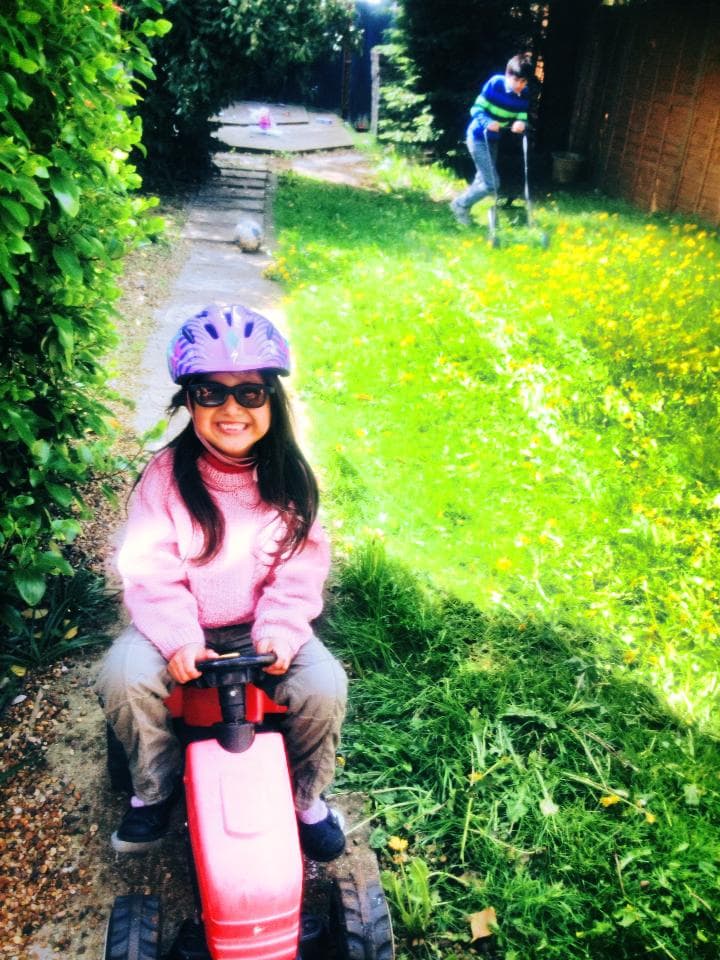
“Me and my sister in the garden. Mum’s favourite photo of us.” May 2013, from the founder’s own family photos.
The album itself has a title, a short description and an optional cover photo. Inside, pictures sit in a grid of one to three columns depending on your screen, and photos open full screen. Choose one and a panel opens with its name, date, story and voice notes together, so the picture and what it means stay in one place.
There is no limit on the number of albums on either plan, and no set number of photos in an album. The ceiling is your family’s storage, which is one pool shared by everyone in your family space: 1 GB on the Free plan and 100 GB on Premium. Single files can be up to 20 MB on Free and up to 10 GB on Premium.
Premium costs £3.99 a month for the whole family, not per person, and the pricing page sets the two plans side by side. Photos and videos upload up to 20 at a time: drag them in, choose them from your device, or add pictures your family has already put in the family Library.
To be straight about it, 1 GB suits a chosen set of photos rather than everything on everyone’s phones. Keep the whole collection backed up elsewhere and bring the pictures worth explaining here.
Everyone you invite into your family space. Any member can add photos and videos to an album, name a picture, set its date, add to its story and record a voice note. That is what makes it a family album rather than a shared folder: your aunt can put a name to a face nobody else knew, and your dad can tell the story behind a photo in his own voice.
Deleting is more careful: only the person who created an album can delete it or take anything out of it.
You can also tag the people an album is about from their Loved Ones profiles, and the album then shows on each person’s profile. The Free plan includes one Loved Ones profile; Premium has no limit.
A photo tells you what someone looked like. It does not tell you who they were.
Yes. Since iOS 11, iPhones have saved photos in HEIF, the High Efficiency Image File Format, usually as .heic files. Apple says the format compresses better than JPEG, but it also recommends iOS 11 or macOS High Sierra or later to view, edit or duplicate these files fully, so older devices can struggle with them.
Ancestorii converts HEIC photos to JPEG as they upload, so everyone in the family can see them on whatever they use. You don’t need to change anything on your phone.
If you would rather your iPhone saved JPEGs in the first place, Apple’s steps are: open Settings, tap Camera, tap Formats, then tap Most Compatible. New photos and videos are then saved as JPEG and H.264. Either way, keep your original files backed up somewhere else as well.
Full names, left to right, and how each person is related to you. “Uncle Ray, Mum’s older brother” will mean far more in fifty years than “Ray”.
The town, the street or the house. Even “Nan’s back garden in Cardiff” gives a grandchild something to look for.
An exact date if you have one, a season and a year if you don’t. A rough date is far more use than a blank.
A sentence or two on what was happening and why it matters. It is the part nobody else can fill in later.
The Library of Congress gives the same advice for digital photos: descriptive file names, tags with the names of the people in them, and a brief description. For prints, see our guides to labelling old photos and what to do with old family photos.
Yes, with one step to know about. The Memory Book editor takes its photos from your family Library rather than straight from an album. Pictures you added to an album from the Library are already there, and anything else you can upload inside the book editor, which saves it to the Library as you go.
Every Memory Book is an A4 landscape hardcover. A Chapter has 24 printed pages for £44.99, A Story has 36 for £54.99 and A Legacy has 48 for £64.99, each plus delivery, and books ship to 20 countries. Each photo on a page can carry a subheading and a written comment, so the names, dates and stories from your album can come with it.
One honest limit: a printed book holds photos and words, not sound. Voice notes stay in the album, where the family can still play them. See how Memory Books work.
Albums are one part of My Family, the private side of Ancestorii. They sit alongside the family Library, timelines, time capsules and Loved Ones profiles, and only the people you invite can see any of it. Our Stories, the public feed, is separate and shows only what someone chooses to publish there.
The Free plan needs no card and includes unlimited albums with 1 GB of shared storage. Premium adds 100 GB and larger files for £3.99 a month per family. Albums work on the website and in the free iPhone and Android app.
If you get stuck for words, Story Assistance, the optional writing help, can suggest an album description, a few photo captions or ideas for what to say in a voice note. You edit what it suggests or ignore it, and you can switch it off.
Unlimited albums on every plan, and room for the whole family to add theirs.
Free forever · No credit card · Takes 2 minutes