Keep the voices, not just the faces.
Ancestorii lets your family record or upload voice notes on album photos, timeline moments, capsules, private memories and Our Stories posts. Every new recording is stored as M4A, converted automatically where needed, so it plays on iPhone, Android and any major browser.
A photo keeps how someone looked. A recording keeps how they spoke: the accent, the laugh, the pause before the punchline. Here is where voice notes go, how they are stored, and the one place they cannot go.
Voice notes, in short.
Where can you add a voice note?
| Where | Who can hear it | Good to know |
|---|---|---|
| Album photos and videos | Your family | Several per photo or video, next to its written story |
| Timeline moments | Your family | On the photos and videos inside each event, beside the comments |
| Capsules | Your family | Sealed with everything else until the capsule opens |
| Private memories | Your family | Each relative can add their own, and reply to comments out loud |
| Our Stories posts | Anyone | One per story, public like the rest of the story |
In family photo albums, each photo can carry its name, a date such as “Summer 1994”, a written story and voice notes, so the picture and the voice telling it stay together.
Why does a recorded voice matter so much?
There is some research behind the feeling. In a 2010 study published in Proceedings of the Royal Society B, Leslie Seltzer, Toni Ziegler and Seth Pollak gave 61 girls aged 7 to 12 a stressful task, speaking and doing mental arithmetic in front of an audience. Each girl then saw her mother, talked to her on the phone or watched a neutral film. The girls who only heard their mother's voice showed a rise in oxytocin, a hormone involved in forming attachments, similar to that of the girls who were reunited in person. The film group's oxytocin showed no overall change, and by the end the cortisol levels (a marker of stress) of the phone and in-person groups were statistically indistinguishable.
It was a small study of girls and their mothers, and it used a live call rather than a recording, so it says nothing directly about saved voice notes. What it does show is how much a familiar voice carries on its own, with no face attached.
Which voices should you record first?
- How they say your name. Ten seconds you will be glad to have.
- The story they always tell. Start to finish, with the same pause before the ending.
- A recipe, talked through. Their quantities, their shortcuts and their asides.
- A song or a saying. The one everybody connects with them.
- Their answer to one good question. The app has 46 ready-made questions in 10 chapters you can send to a relative.
Small, everyday sounds are the easiest to miss. One of the things Dante, who built Ancestorii, was scared of losing was his grandmother humming while she cooked. Our guides to saving family voices and recording family stories cover how to get people talking without it feeling like an interview.
What format are voice notes saved in?
Every new voice note ends up as an M4A file, which is AAC audio in an MPEG-4 container. Recordings that need converting are saved in mono at 64 kbps and 44.1 kHz, which is just under half a megabyte per minute of speech.
Ancestorii converts recordings because phones and browsers do not all record in the same format. A recording made in a web browser starts as a WebM file. After upload it is converted automatically by a service called CloudConvert, and the voice note plays from the converted copy. Files that are already M4A or AAC, including recordings made in the Ancestorii app, are left as they are.
M4A is used because it plays almost everywhere. Apple lists AAC first among the iPhone 17's supported audio formats, Android's developer documentation lists AAC in .m4a files among the formats the platform can record and play, and MDN Web Docs notes that AAC in an MP4 container is supported by all major browsers.
One honest caveat: 64 kbps mono is a listening copy, not an archive master. If you are recording a long interview you want to keep for decades, the Oral History Society recommends a recorder that can make uncompressed WAV files at 44.1 kHz or 48 kHz, 16-bit. Keep that file somewhere safe as your master and upload a copy for the family to play. Files can be up to 20 MB on the Free plan and 10 GB on Premium; an M4A copy is far smaller than a WAV, and it will not be converted again.
What about old cassettes, tapes and voicemails?
If the recording already exists as an audio file on your phone or computer, upload it as a voice note and it is converted like any other. The real work is getting it into a file first, and it is worth doing soon.
Archives are working against the same clock. In May 2015, when the Heritage Lottery Fund (now the National Lottery Heritage Fund) awarded the British Library £9.5m to digitise and publish up to 500,000 rare and unique sounds, sound archivists estimated there were 15 years in which to digitise historic recordings before the equipment needed to play some formats could no longer be used.
Home cassettes and answering-machine tapes have the same two weak points: the tape itself and the machine that plays it. If the voice you want to keep is on a phone instead, our guide to saving voicemails from a loved one shows how to get it into a file you control.
A photo keeps how they looked. A voice keeps how they spoke.
Can relatives reply out loud?
Yes. On a private memory, any family member can add their own voice note, and comments can be recorded instead of typed, with replies threaded underneath. Each voice note shows who recorded it and when, people can delete their own, and the person who shared the memory is notified when someone comments.
So one memory can collect several voices: a cousin remembers the holiday one way, a brother another, and an aunt records the part they both forgot.
Do voice notes go in print?
No. Printed Memory Books hold photos and written words only. There is no audio and no QR code in print, so the voices stay in your family's digital library.
You can carry the words across, though. Each photo in a Memory Book can have a subheading and a written comment, so a line someone always said, typed exactly as they said it, can sit under their photo. Memory Books start at £44.99 plus delivery for 24 printed pages.
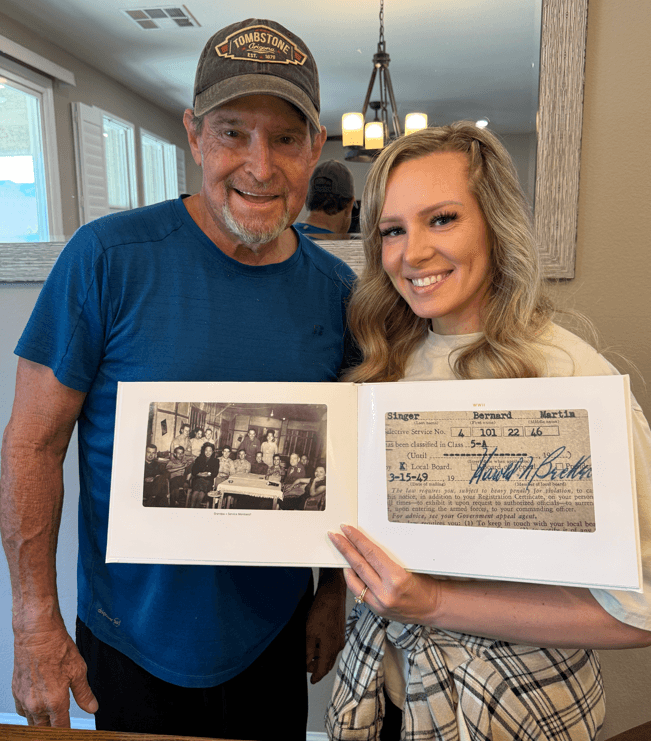
“I walked past my dad’s room and caught him looking through his memory book again. That’s the third time this week. Ancestorii helped me turn years of photos into something he genuinely treasures.”
How does Ancestorii help?
Ancestorii keeps each voice note on the photo, moment or memory it belongs to, inside your family's private space, so nobody has to work out which file goes with which picture. The free app for iPhone and Android records voice notes too, so the person with the stories does not need a computer.
Voice notes come with both plans and have no separate limit; they count towards your family's shared storage. The Free plan includes 1 GB for the whole family and files up to 20 MB. Premium is £3.99 a month for the whole family, with 100 GB and files up to 10 GB.
Questions about voice notes.
Can I upload an old voicemail or recording?
Will a voice note play on both iPhone and Android?
Can more than one person add a voice note to the same memory?
Are voice notes included in printed Memory Books?
Can I record a voice note on my phone?
Who can hear my voice notes?
Sources
- Proceedings of the Royal Society B · Seltzer, Ziegler and Pollak, Social vocalizations can release oxytocin in humans, 277(1694): 2661-2666 (2010)
- National Lottery Heritage Fund · British Library pledge to save the nation’s sounds secures £9.5m HLF boost (May 2015)
- Apple · iPhone 17: Technical Specifications (accessed October 2026)
- Android Developers · Supported media formats (accessed October 2026)
- MDN Web Docs · Web audio codec guide (accessed October 2026)
- Oral History Society · Choosing the right equipment (accessed October 2026)
Press record.
Keep their voice.
Free to start. Voice notes on every plan.
Free forever · No credit card · Takes 2 minutes