How to make
a memorial book.
To make a memorial book, gather photos and short written memories from the people who knew them, scan old prints at 300 dpi (or 600 dpi if a small print will fill a page), arrange the pages in the order of their life, and add captions and a dedication. Then leave enough time for printing and delivery before the day you need it.
It does not have to tell their whole life. A few dozen well-chosen photos, each with a line about who, where and why, will say more to the family than hundreds with no words at all.
A photo tells you what someone looked like. It does not tell you who they were.
What goes in a memorial book?
A memorial book is a way of keeping someone close, and grief researchers see that as healthy. In Continuing Bonds (1996), Dennis Klass, Phyllis Silverman and Steven Nickman argued that grieving well can include an ongoing bond with the person who died, rather than cutting ties. Most memorial books draw on six kinds of material:
Photos from every part of their life. Childhood, school, work, the wedding, the children, holidays, the last birthday. Look for every decade, not only the recent photos on someone’s phone.
Their own handwriting. A recipe card, a birthday card, a note on the back of a photo. Scan it like a photo; their handwriting is as personal as their face.
Memories from family and friends. A few lines from each person: how they met, something they always said, a day nobody will forget.
The dates that shaped them. Born, married, moved, became a grandparent. A short timeline near the front helps younger readers follow the story.
The words from the funeral. The eulogy, a reading or a poem that was read on the day. It can open the book or close it.
A dedication. One or two lines at the front or on the back cover saying who the book is for, and from whom.
If you are writing the eulogy as well, our guide on how to write a eulogy can help, and the finished words make a natural last page.
How do you gather photos from everyone?
The hard part is usually collecting, not designing. Most relatives have a few photos nobody else has seen, scattered across lofts, albums and phones.
Ask early, and give a date.
Send the family one simple request with a deadline. “Your favourite photos of Dad by the 20th” is easier to act on than “anything you have”.
Ask for favourites, not everything.
Five to ten photos each is plenty. You want the ones that mean something, and a smaller pile is easier to choose from.
Ask everyone for one memory in writing.
Give them a prompt: the first time you met, something they always said, a day you will never forget. Two or three sentences is enough.
Put it all in one place.
Use one shared folder or family space rather than a dozen chat threads, and ask for the original photo files, not screenshots.
Sit with the oldest relatives.
They can name the people in the old prints. Write the names down as you go; our guide to labelling old photos shows how to do it without damaging them.
How do you scan old photos for printing?
The Library of Congress publishes simple guidance for families scanning their own photos. In short:
Clean the scanner glass, and take paper clips, staples and tape off the prints first.
Wear gloves to handle old photos, and never press one flat under a sheet of glass.
Scan ordinary 6 × 4 and 7 × 5 inch prints at 300 dpi.
Use 400 or 600 dpi for any print you will enlarge to 10 × 8 inches or more.
If you save as JPEG, choose the high-quality setting for photos you plan to reprint.
Keep at least two copies of the scans, stored in different places.
The enlargement rule matters for a book. A full A4 landscape page is 297 × 210 mm, about 11.7 × 8.3 inches, so a small print used as a whole page needs 400 or 600 dpi, and 600 leaves room to crop. Our guide to digitising old photos covers scanners, settings and file names in more detail.
How should you order the pages?
Most memorial books follow the life in order, from childhood to the last years, because that is how the family will read it. A few work better by theme, such as a book for a keen gardener that moves through the seasons. Here is one way to plan a book of about 34 pages:
Opening: 2 pages.
A favourite portrait, their name and dates, and the dedication or a short introduction.
Early years: 7 pages.
Childhood, school, their parents and the places they grew up.
Love and family: 9 pages.
Courtship, the wedding, children and grandchildren.
Work, places and passions: 7 pages.
Jobs, homes, holidays, and the hobbies everyone associates with them.
Later years: 5 pages.
Recent birthdays, family gatherings and ordinary days.
Memories and goodbye: 4 pages.
Words from family and friends, the eulogy, and one last photo.
Give the most important photos a page of their own and group everyday snaps four to a page. Leave space for words: a page with one photo and three lines about it gives the reader a reason to stop.
What should you write in it?
Words are what turn a photo album into a memorial book. You need three kinds:
A dedication. One or two lines on who it is for and who made it, for example “For Mum, from all of us who miss her laugh.”
Captions. Who is in the photo, where it was taken, roughly when, and one line about why it matters.
Their words and yours. A saying they always repeated, a line from one of their letters, and the memories the family sent in.
For page-by-page ideas, see what to write in a memory book.
How long does it take to make and print?
Most of the time goes on gathering. Give the family a week or two to send photos and memories, then a weekend to scan and choose. Designing takes an evening or two once you know which photos you are using. Then add printing and delivery: for an Ancestorii Memory Book, standard delivery is £4.99 and takes 10 to 14 working days.
If the funeral is sooner than that, there is no need to rush. Show the photos at the service and make the book for a later day, such as their birthday or the first anniversary, when everyone has had time to look through their own albums.
And if making it feels like too much right now, it can wait. Cruse Bereavement Support runs a free helpline on 0808 808 1677.
How it helps.
Ancestorii is a private family space, so the gathering and the making can happen in one place. Invite the family and everyone can add their photos to the shared Library, with iPhone HEIC photos converted to JPEG automatically. Then design a Memory Book on the website, page by page, from those photos.
Every book is an A4 landscape hardcover, 297 × 210 mm, with 200gsm gloss pages and a matte cover. There are three sizes: A Chapter (24 printed pages, £44.99), A Story (36 pages, £54.99) and A Legacy (48 pages, £64.99), all plus delivery. Pick the size first, because it cannot be changed once the book is created. Pages come in five layouts holding one to four photos, every photo can carry a heading and a comment, and there is a Dedication back cover and custom spine text.
You can preview the book spread by spread and download a free PDF before you order. Each order prints one copy, so to give one to each branch of the family you order again, and delivery is charged each time. Books ship to 20 countries. Story Assistance, Ancestorii’s optional writing help, can suggest page headings, page descriptions and an introduction for you to edit.
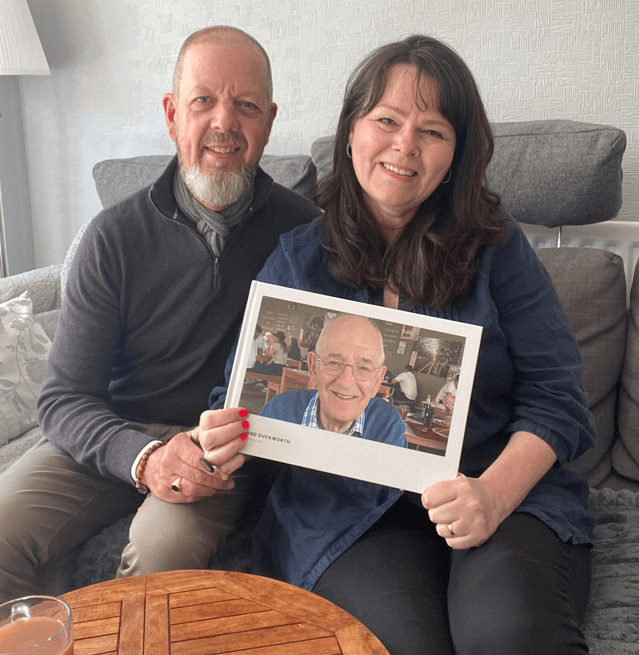
Andrea, from Dudley, made one about her dad: “I recently lost my dad, so this book became incredibly special. It captured the essence of him and the life he lived. Our family will treasure it for years to come.” See how Memory Books work.
Frequently asked questions.
What should I put in a memorial book?
How many photos do I need for a memorial book?
How long does it take to make a memorial book?
Can I order copies for the whole family?
What resolution do photos need to be for printing?
Sources
- Library of Congress · Scanning Your Personal Collections (Personal Digital Archiving series) (accessed October 2026)
- Library of Congress · Preservation Guidelines for Digitizing Library Materials (accessed October 2026)
- Routledge · Continuing Bonds: New Understandings of Grief, edited by Dennis Klass, Phyllis R. Silverman and Steven Nickman (1996)
- Cruse Bereavement Support · Helpline (accessed October 2026)